Acupoints: body map and meridian columns
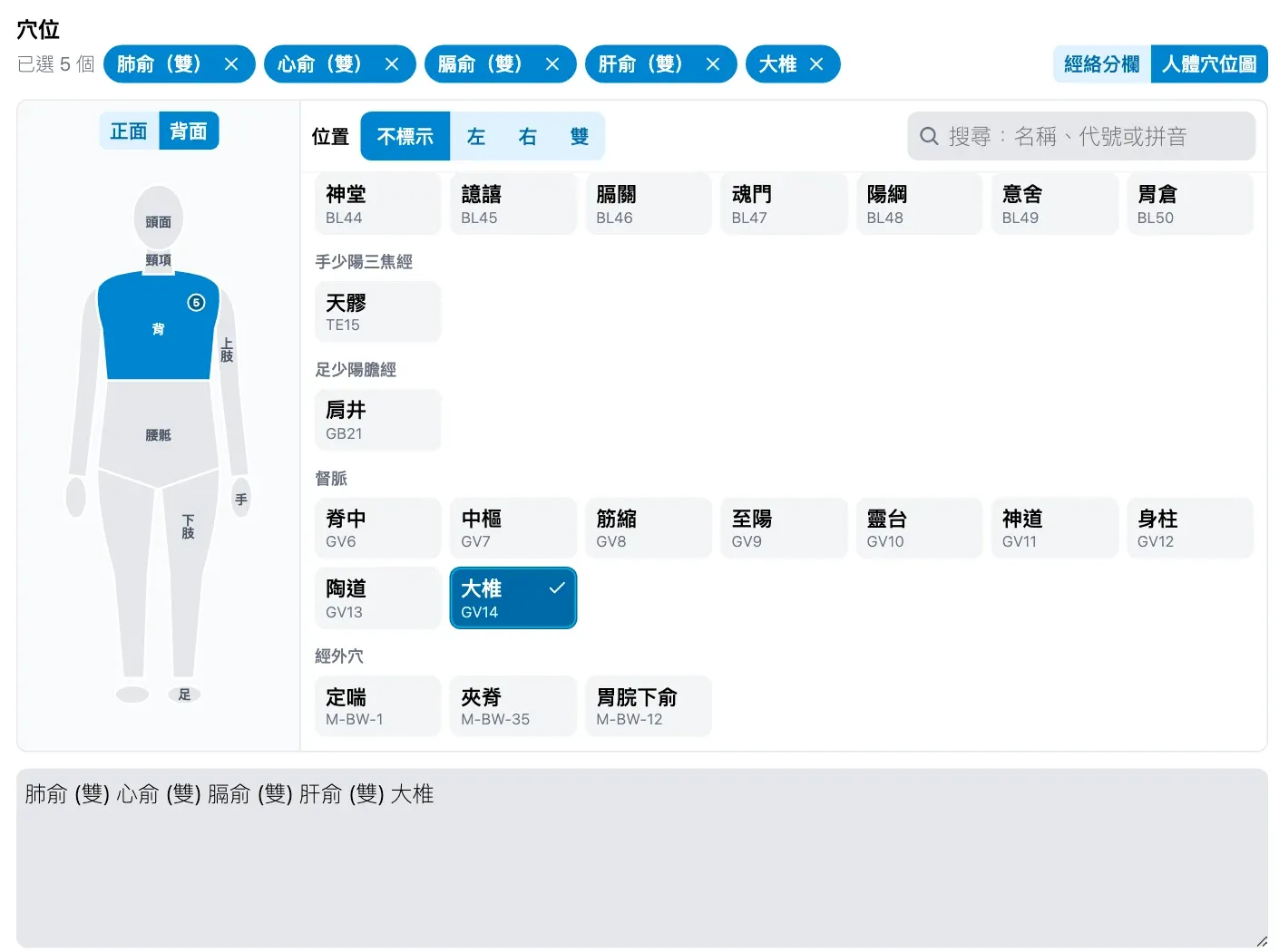
Doctors record acupoints the way they think about them: down a meridian, or by tapping a region on the body map. Choose left, right or both once, and every point you tap is added with that side. Selected points appear as chips that you remove with ×.
What it does
- 409 points: the twelve regular meridians, the Ren and Du meridians, and extra points.
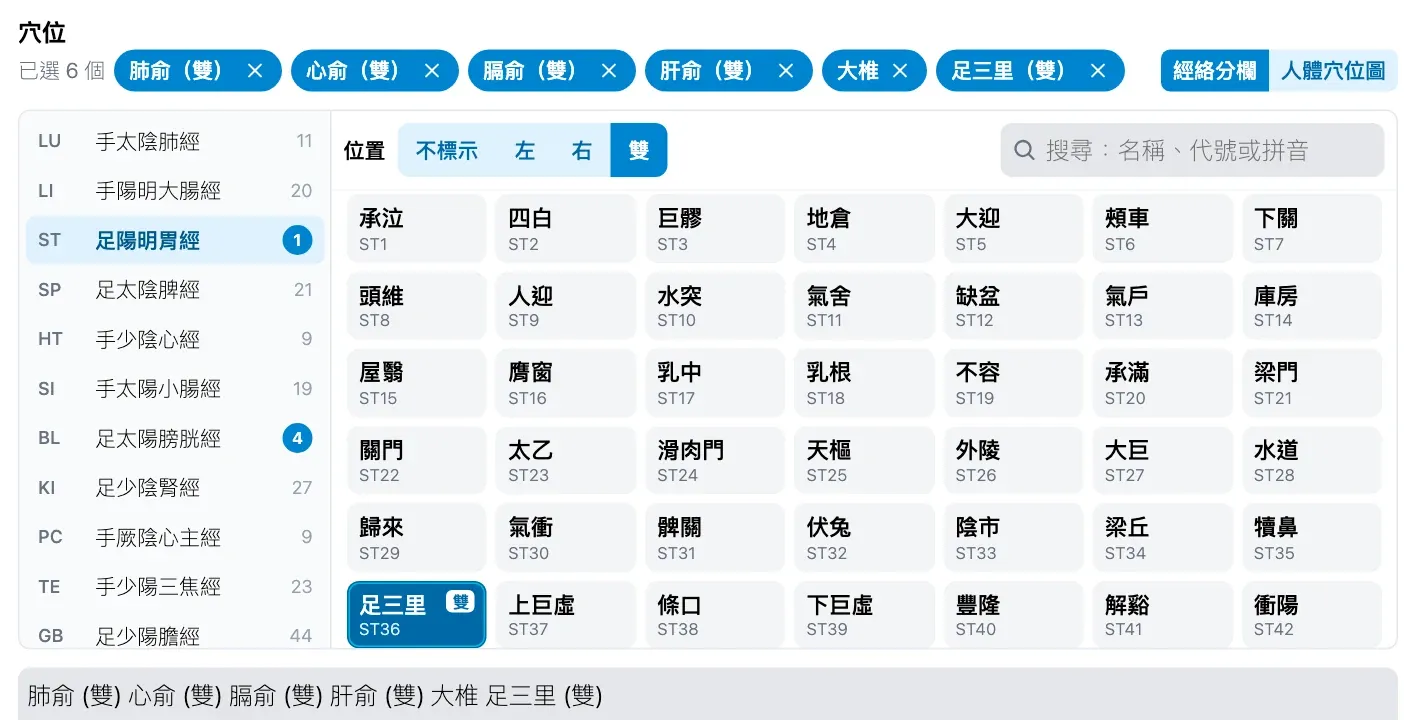
- Meridian columns list the meridians in order, with how many points each has and how many are selected.
- The body map has 10 regions across the front and back views. Tapping a region lists its points by meridian.
- Side: none, left, right or both, set with one tap. Ren and Du points take no side.
- Search by point name, code (for example ST36) or pinyin.
- The record keeps the points as text, such as 「足三里 (雙) 合谷 (左) 百會」, which stays freely editable.
- Each doctor chooses in their own settings whether the acupoint field shows.
How to use it
- In a record’s acupoint field, open the picker and choose meridian columns or the body map. Medicloud remembers the one you used last.
-
Choose left, right or both under side, then tap points to add them. Tapping a selected point again changes it to the current side, or removes it.
-
Search by name, code or pinyin when that is quicker. The points are written into the record as text.
New to Medicloud? Try it free for 3 months, no credit card