Revenue reports and doctor performance
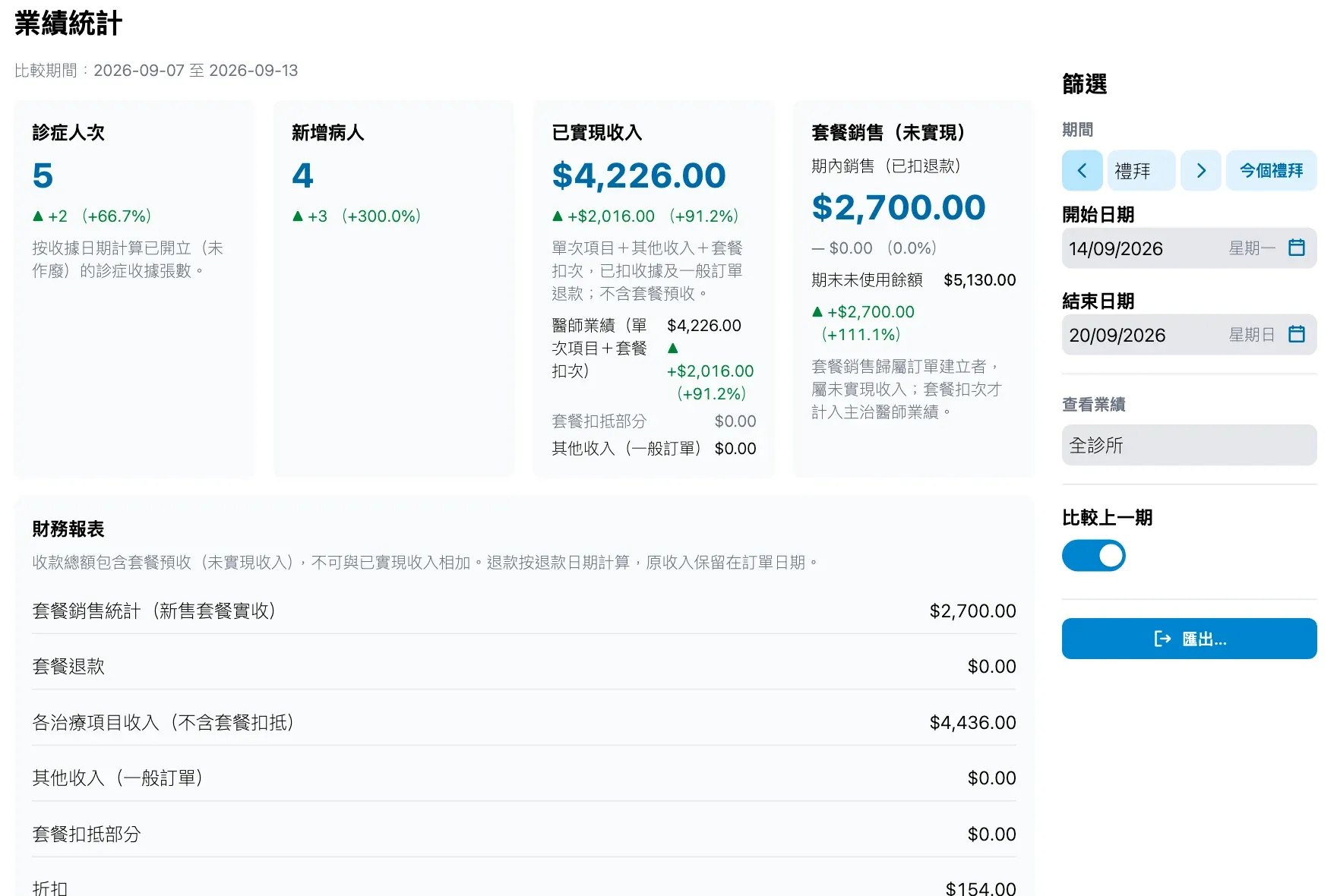
How much the clinic earned this month, how much cash came in, and how each doctor performed are on one page. Realised revenue is kept apart from package prepayments, refunds count on the day they happen, and the exported document lines tie back to each receipt.
What the reports show
- Summary: visits, new patients, realised revenue, doctor performance, package sessions used, other income, package sales and the unused balance at the end of the period.
- Financial report: package sales and refunds, revenue per treatment item, discounts, refunds, realised revenue and cash collected.
- Breakdowns by payment method, package sales by payment method, and visits per day.
- Compare with the previous period of the same length, with the percentage change.
- Step through months, weeks or days, or choose your own dates.
- A package sale counts for the staff member who sold it, and each session used counts for the treating doctor.
Who sees what
- Staff with the clinic statistics permission see the whole clinic and can switch to any staff member’s performance.
- Other doctors see only “my performance”.
Exporting
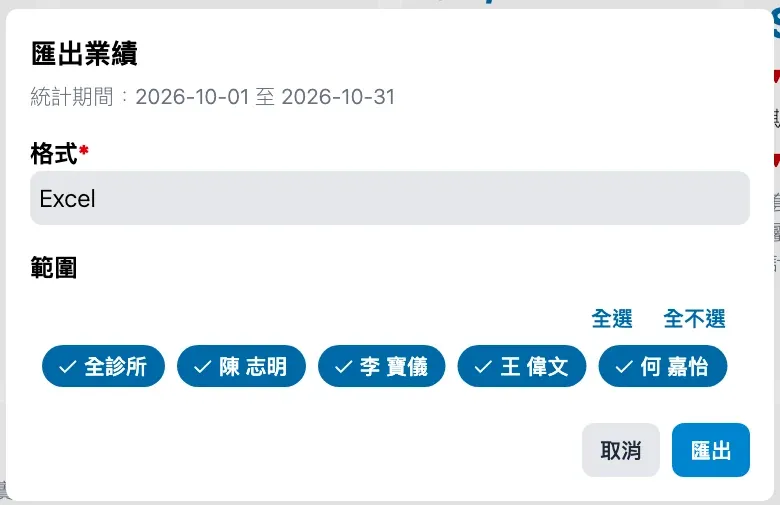
- Press 匯出… (export) and choose Excel or Word.
- Choose the whole clinic and any staff; each gets their own sheet or section.
- Every export includes the document lines: date, type, reference, status, payment method, patient, doctor or handling staff, items, discount and amount, ready for checking and payroll.
New to Medicloud? Try it free for 3 months, no credit card