The TCM clinic system app: Medicloud on computer, tablet and phone
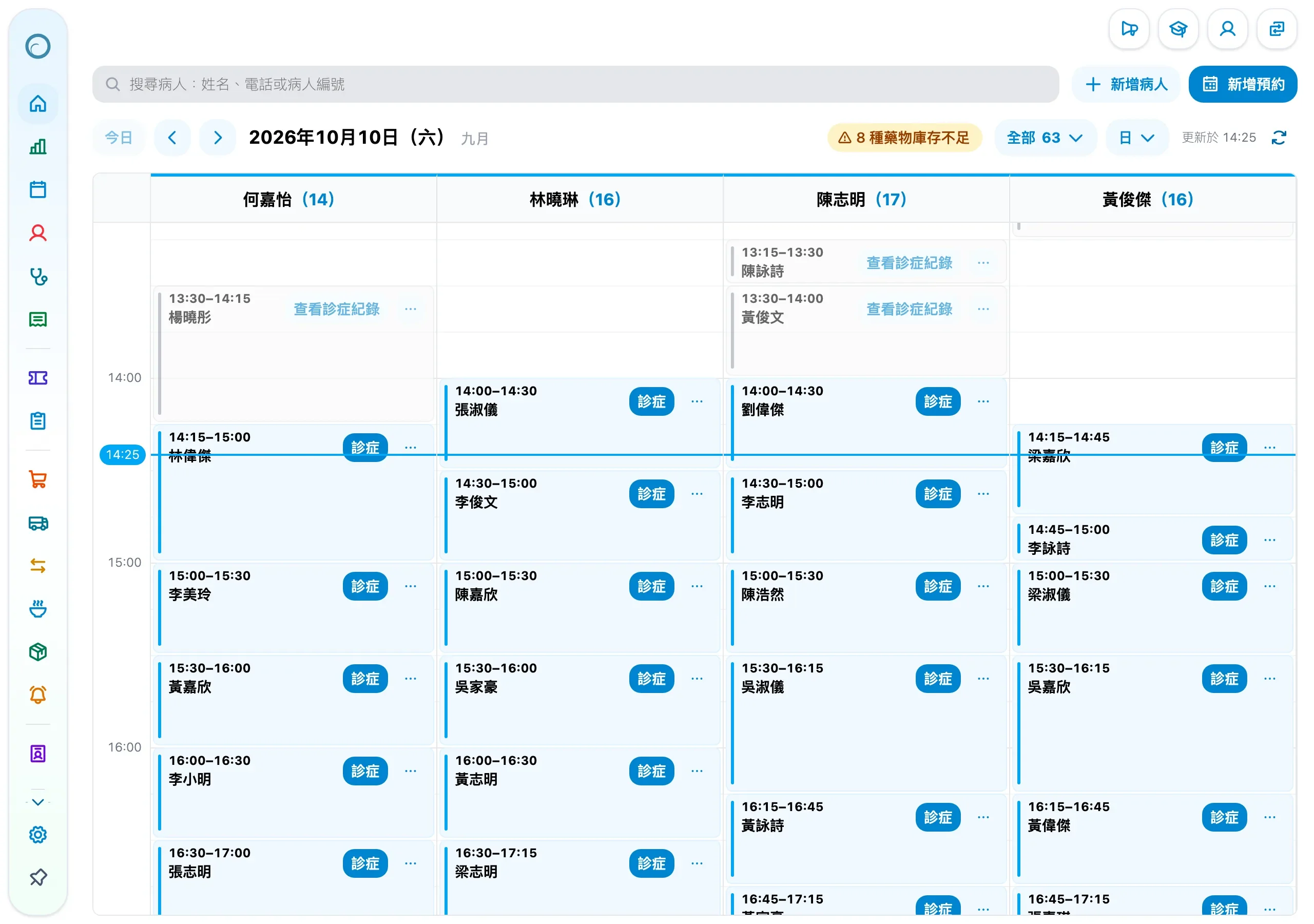
Medicloud runs in the browser, with no app store download and nothing to install on your computers. Reception, practitioners and managers sign in to the same account on a computer, tablet or phone, and can add Medicloud to the home screen to open it like an app.
Nothing to download: sign in through the browser
Open a browser on a computer, tablet or phone, enter your organization, username and password, and the layout fits the screen. Every device works on the same data, so an appointment made on the front-desk computer is there when you sign in on a tablet or phone.
Medicloud is a cloud system, so there is no server computer to keep at the clinic, and it updates itself, so every device runs the latest version. When you change computer or phone, just sign in and carry on.
Add Medicloud to your home screen and open it like an app
Once added, Medicloud has its own icon and opens in its own window, without the browser's address bar.
- 1
iPhone and iPad
Open Medicloud's sign-in page in Safari, tap the Share button, then choose Add to Home Screen.
- 2
Android phones and tablets
Open Medicloud's sign-in page in Chrome, tap the menu at the top right, then choose Add to Home screen or Install app.
- 3
Computers
Open Medicloud's sign-in page in Chrome or Edge and choose Install from the address bar or menu; then open it from the desktop or Start menu.
How clinics use each device
-
Computer
Reception handles appointments, billing and receipt printing on a computer, while practitioners prescribe from the keyboard, write records and print prescriptions.
-
Tablet
Practitioners can check today's appointments and patients' records on a tablet in the consulting room, with the layout fitted to the screen.
-
Phone
Practitioners and managers can check today's appointments and revenue reports on a phone when away from the clinic. Practitioners at clinics in Hong Kong can also sync their appointments to Google Calendar and see them in their phone's calendar.
-
Dark mode
Dark mode is easier on the eyes at night or in a dim room, and can follow the device's setting; printouts stay the same.
Patients book on their phones too
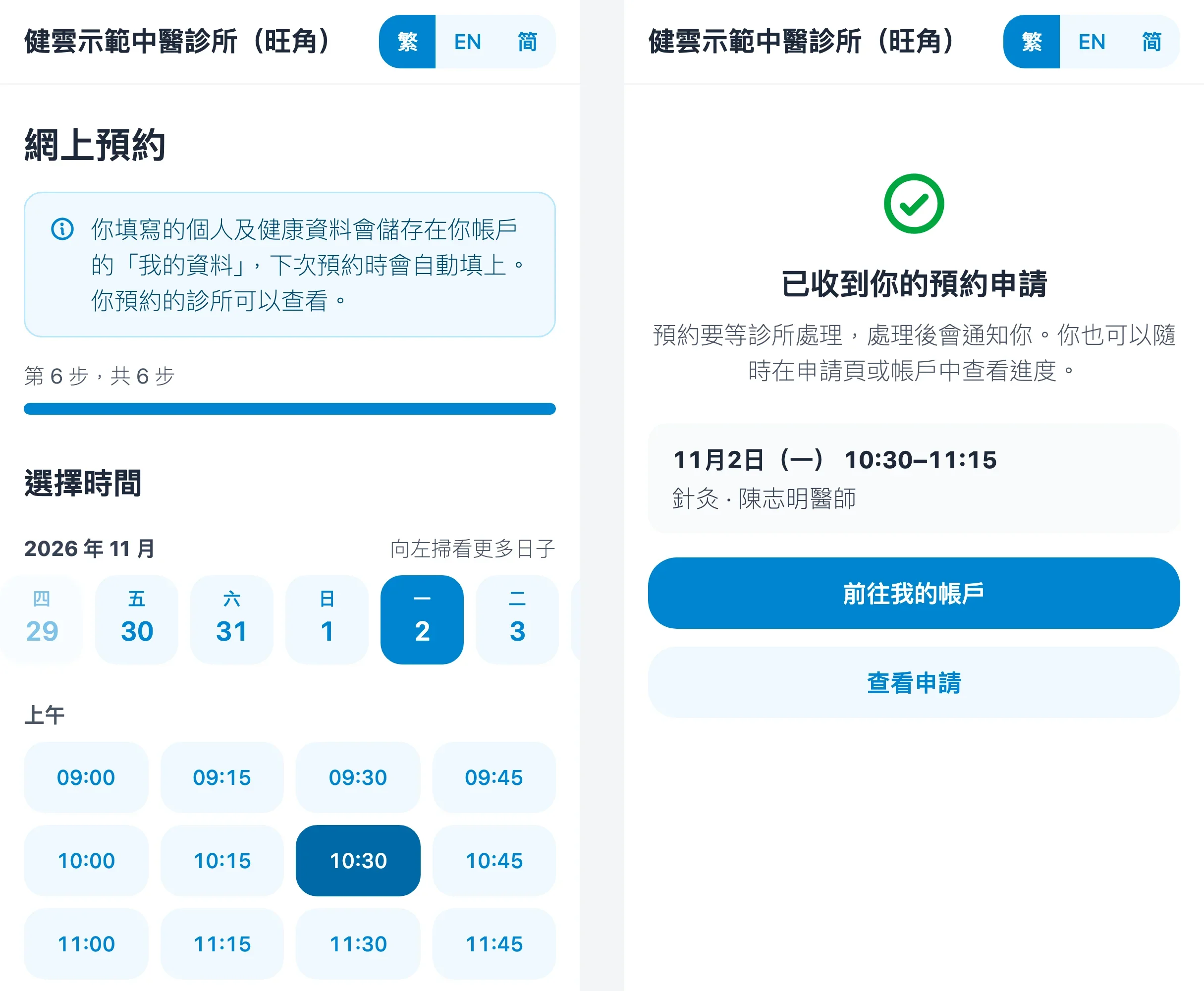
Clinics in Hong Kong can open online booking: patients ask for an appointment on their phone at any time, choosing treatments, a doctor and a time, and Medicloud emails them once the clinic confirms. New patients can also register and book on their phone through the clinic's booking link or QR code.
When choosing a TCM clinic system
Working on a tablet and phone is one of several things to weigh. For prescribing, stock, receipts and reports, see the TCM clinic system buyer's guide, or read about the Medicloud TCM clinic management system.
Frequently asked questions
Is there a Medicloud app?
Medicloud runs in the browser, with no app store download. Add it to your home screen from the browser and open it from its icon like an app.
Does using several devices cost extra?
No. Medicloud is not charged per computer or device, and each staff member can sign in with their own account on a computer, tablet and phone.
Is our data safe when we sign in on a phone?
Every device connects over HTTPS. Hong Kong clinics' data is stored on Amazon Web Services (AWS) servers in Singapore, and staff access is set by role and can be limited to their own patients.
Can we try it first?
Yes. The first 3 months are free with every feature and no credit card, and after the trial you decide whether to subscribe. The subscription is HK$500 per clinic per month, or HK$4,500 a year, including every feature and 10 staff accounts; contact us if you need more accounts.